
How to Add Users To Your Devices
Once you have been granted ownership and accepted, you will then see below,

You will instantly be able to see the camera on the DMSS app. To add colleagues, simply press the  icon.
icon.
You should then see the below. Add the emails of the accounts you want adding to the device , ensuring they have created and verified the DMSS app account. Once the email has been entered, click share and the users will also get instant access to the device.
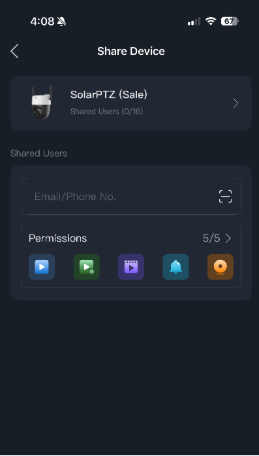
The image below shows the permissions tab. This allows the owner of the camera to alter permissions they may want to give to colleagues, for example, disable them from moving the camera.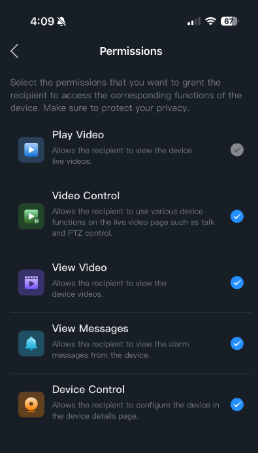
How To Remove Users From Your Devices
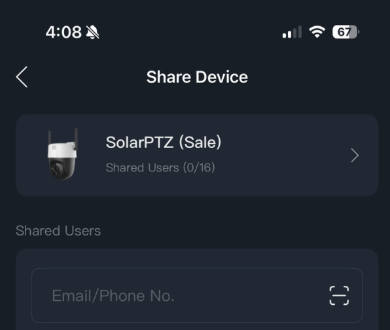
To remove users from access to your camera, click where the camera icon is at the top of the page. This will then take you to a page showing all current users on the camera.
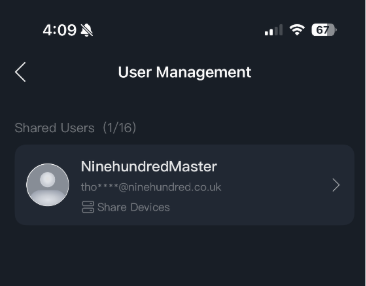
Select the user you want to delete by clicking on the persons email address, then at the bottom of the page it will show "Cancel Sharing". Select "Cancel Sharing" and the user's access will be removed from this device.
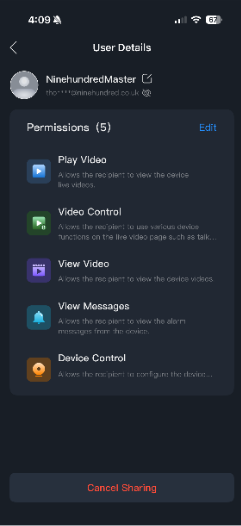
You can also modify a user's permissions in this view by clicking the edit button.