
LED indicators show the operational status of your radio.
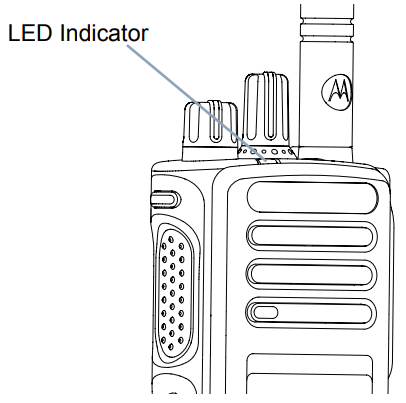
Blinking Red
Your radio has failed the self-test upon powering up for one of the below reasons:
- Your radio is turning on
- Your radio is out of range of the Auto-Range Transponder System.
- Mute mode is enabled.
- Your radio is receiving an emergency transmission.
- Your radio is transmitting in a low battery state.
- Your radio is indicating a battery mismatch.

Solid Green
Radio is powering up, transmitting or sending a Call Alert, or an emergency transmission.

Blinking Green
Radio is receiving a non-privacy-enabled call or data, detecting activity over the air, or retrieving Over-the-Air Programming transmissions.

Double Blinking Green
Radio is receiving a privacy-enabled call or data.

Solid Yellow
Radio is monitoring a conventional channel.

Blinking Yellow
Radio is scanning for activity or receiving a Call Alert, or all local Linked Capacity Plus channels are busy. This can also indicate the Flexible Receive List is enabled.

Double Blinking Yellow
Double Blinking Yellow lights means any of the below:
- Auto roaming is enabled.
- Your radio is receiving a Group Call Alert.
- Your radio is searching for a new site.
- Your radio is not connected to the repeater while in Capacity Plus.
- Your radio is locked.
- All Capacity Plus channels are busy.
